
WordPress website design, minus the jargon.
Everything you need before you build, rebuild, or hire for a WordPress site — what it is, what it costs, how long it takes, and how to pick the right partner.
Why this guide exists
If you’ve got questions about WordPress web design, you’re in the right place. This is the long version — the one I wish someone had handed me years ago instead of making me learn it the expensive way.
Here’s the thing most people miss: a huge amount of what makes a WordPress site good is invisible. You see the pretty homepage. You don’t see the structure underneath that decides whether the site is fast, secure, easy to update, and findable on Google — or a slow, fragile headache you’re stuck babysitting.
This guide walks through all of it — what WordPress is, custom vs. template, what it costs, how long it takes, and how to hire without getting burned. No jargon for its own sake. Let’s get into it.
What is WordPress?
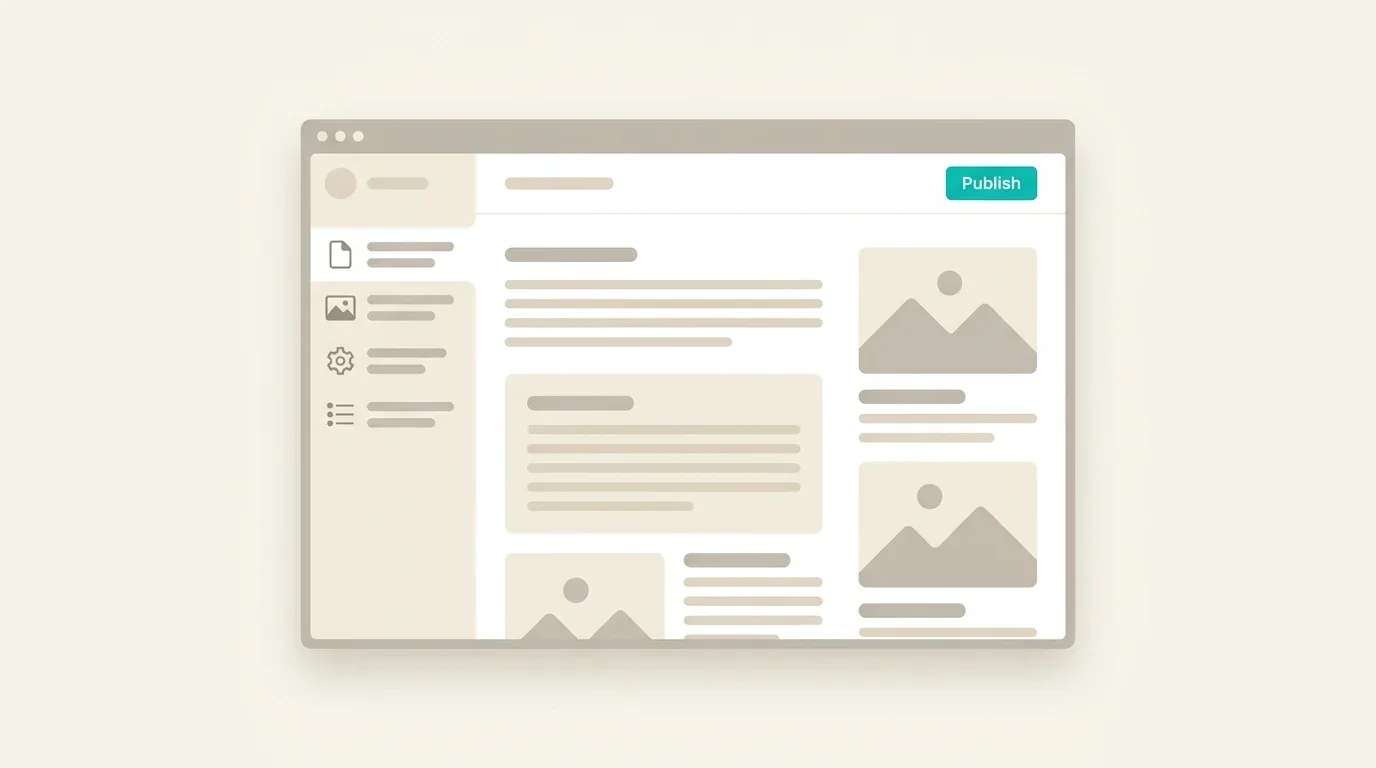
WordPress is an open-source CMS — a content management system. In plain English, it’s software that lets you update and edit your website through an easy admin screen, without touching code. It was co-created by Matt Mullenweg and Mike Little. A lot has happened since its inception, and WordPress is an indispensable tool powering over 30% of the web. Roughly one in five websites you visit likely runs WordPress.
Why does that matter? When websites were first invented, every page was its own separate HTML file. Want to change one link in your navigation? You had to open every single page and change it by hand. A CMS fixes that — you update the menu once and it changes everywhere. That’s the whole magic: manage your content in one place and let the software do the busywork.
What does “open source” mean?
It means WordPress is free to use, own, and modify however you want. Nobody owns it the way a company owns its product. Instead, thousands of independent developers around the world maintain and improve it — for free — because they use it and care about it. The first time I really understood that, at a WordCamp years ago, it kind of blew my mind. That’s open source: a tool the whole community keeps alive, and it’s yours to use as you please.
WordPress.org vs. WordPress.com
This trips everyone up, so let’s clear it up. WordPress.org is the free, open-source software you install on your own hosting — the site is 100% yours, and it’s what most of the web means by “WordPress.” WordPress.com is a company that sells hosting and runs that software for you; it’s more locked-down, closer to a Wix or Squarespace experience, and you don’t fully own the back end.
If you’ve ever seen a URL like yourname.wordpress.com, that’s the .com platform. Either way, you can absolutely use your own custom domain — don’t let the naming fool you.
A way I’ve seen it put is that WordPress.org (self-hosted) is like owning your own house vs. WordPress.com is like renting an apartment.
Is WordPress free?
Yes… sort of. The software is free. But every website needs hosting — a place on the internet to live — and hosting costs money. So WordPress itself is free; running a real site on it has real (usually modest) costs. More on hosting below.
What’s it built with?
WordPress runs on a classic LAMP stack — Linux, Apache, MySQL, and PHP. That’s the same basic foundation behind some of the biggest sites on the planet. Translation: proven, well-understood technology, not a fragile experiment.
What famous sites run on WordPress?
More than you’d guess. WordPress powers a big slice of the web’s best-known names — major publications, music labels, celebrity sites, universities, and plenty of household-name brands. The point isn’t the name-drop. It’s that WordPress scales from a one-person side hustle all the way up to sites with millions of visitors. The platform isn’t the ceiling — your build is.
For starters, the White House website is built in WordPress. The NASA website also runs WordPress. We built a site for Reebok in WordPress during the pandemic. Roughly one in every four or five sites runs WordPress, folks.
What “WordPress web design” actually means
Here’s where it gets slippery. “Build me a WordPress site” can mean wildly different things depending on who you hand it to — from a freelancer dropping a $40 template on your domain and swapping the colors, all the way up to an agency designing a fully custom site for tens of thousands of dollars. The single most important distinction to understand is custom vs. premade template.
Template vs. custom (the IKEA analogy)
Quick truth: every WordPress site uses a template — even “custom” ones. Think of “template” like “recipe”: it’s the instructions for building a particular site. So the real question isn’t template vs. no template. It’s premade vs. built-for-you.
I like to think of a premade template as IKEA furniture. There’s nothing wrong with IKEA — it’s affordable, looks decent, does the job. But you assemble it yourself, it’s a little generic, and it’s not built to last a lifetime.
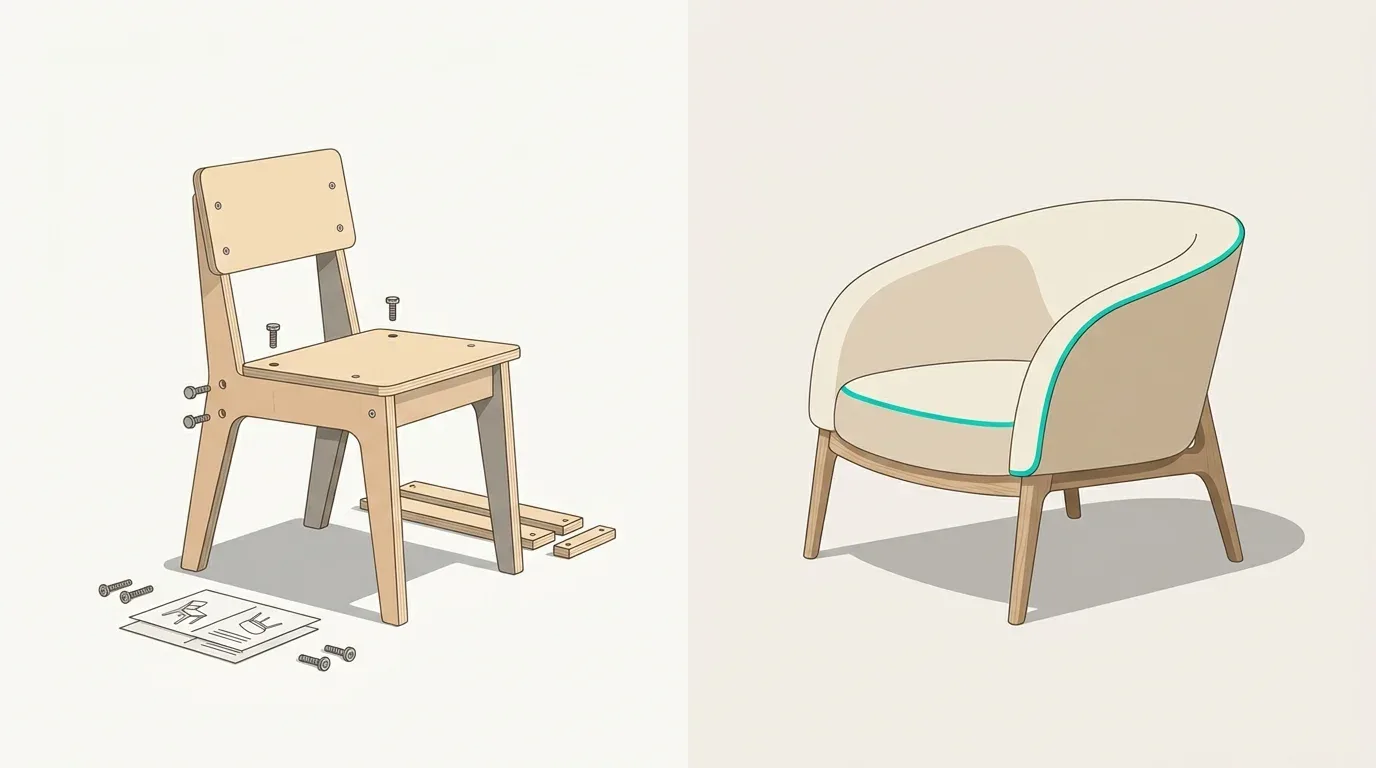
Buying a $40 template and setting it up yourself is like a college kid assembling a flat-pack desk in their dorm. Paying for a fully custom site is like hiring a designer to renovate your house down to the studs — every fixture and finish working together on purpose. Both get you “a place to live,” but the gap between them, in effort and cost and results, is enormous.
So the first question to ask any WordPress company is simple: do you build custom, or do you work from premade themes?
“Template” vs. “theme” — what’s the difference?
None, really. The words get used interchangeably. (You might also hear “child theme” — that’s just a safe way to customize a theme’s code without breaking the original. Nothing to worry about.)
Front end vs. back end
Two halves of every build. The front end is what visitors see — layout, colors, typography, the actual HTML, CSS, and JavaScript. The back end is the engine room — the part that pulls the right content from the database, plus the admin experience you’ll use to edit the site later.
A website is like an iceberg: most of it sits below the waterline. Before you hire anyone, ask to tour the back end of a site they built. If it’s a confusing mess to edit, keep looking — you’re the one who has to live in there.
The four levels of WordPress design
Knowing which one you actually need saves you money and heartburn.

1. DIY template
You install a theme yourself — free or paid — and leave it mostly alone. Honestly, these can look better than a botched “customization,” because you’re not breaking something that already worked. Best for testing a business idea on almost no budget. Cost: free to a couple hundred bucks — though it’ll cost you time.
2. Customized template
You take a premade theme and tweak colors, fonts, and logo to match your brand. Sounds simple, but this is where things get janky — your logo doesn’t quite fit, your copy fights the layout, and there’s some widget you can’t remove. Square peg, round hole. Cost: a few hundred dollars with a freelancer, or a chunk of your own time.
3. Semi-custom
A skilled developer starts from a flexible theme framework and shapes it to fit you. It’s a real step up, and for a company’s first serious site it’s often the right call — but you’re still working within the theme’s structure, and results vary with the developer’s skill. Cost: roughly $1,500–$5,000.
4. Fully custom
Design and development built around your business from scratch — the renovation-to-the-studs option. It starts with discovery and strategy, moves through custom design, then custom front-end and back-end development tuned so non-technical folks can actually run the site. Cost: roughly $8,000 to $40,000+, depending on scope. Why so much more? You’re paying for strategy, originality, and a site built to grow with you — not just dressed up.
WordPress pros and cons
No tool is perfect. Here’s the honest ledger.
The good
- Easy to use. The admin is approachable — update most things without touching code.
- You own it. Open source means the site is yours, forever, to do with as you like.
- Battle-tested. A huge share of the web runs on WordPress, vetted by millions of sites.
- A giant talent pool. If you ever part ways with your developer, finding another isn’t hard — you’re not locked into one vendor’s system.
- It’s not going anywhere. WordPress has been around for over two decades. That stability matters.
- Great for SEO. Clean URLs, easy tagging, and a deep toolset give you a real head start on Google.
- It connects to everything. Email, CRM, payments — if you use a tool, there’s almost certainly a clean integration.
The trade-offs
- It can be slow — if you let it. WordPress builds pages with PHP, which can lag. Good hosting, caching, and a developer who cares about Core Web Vitals fix it. A well-built site loads in under two seconds.
- It’s a target. Because it’s everywhere, it’s the biggest bullseye for automated attacks. Secure it properly with good hosting and problems are rare.
- A lot of sites look generic. That’s not WordPress — that’s premade templates, which look bland to fit every business. Custom design fixes it.
- “WordPress can’t do that.” Whenever a developer says this, mentally translate it to “I can’t do that.” Most “limitations” belong to the person you hired.
That last one is the big one, so let me say it plainly: most of WordPress’s so-called weaknesses belong to the developer, not the platform. With a good builder, WordPress can look and behave like just about anything you’ve seen on the web.
How to choose the right partner
Finding a WordPress company can feel overwhelming — there are thousands (but this is a good thing, I promise you!), and they all say the same things. Here’s the mindset shift that helps: don’t start by studying them. Start by getting crystal clear on what you want. The clearer you are about your goals, budget, and timeline, the faster the right fit — and the wrong one — jumps out. (Like a bank teller trained to spot fakes by knowing the real bills cold.)
Start with the end in mind
If a genie granted you the perfect website tomorrow, what would it actually do? Get specific — genies are notoriously literal. A few questions worth answering before you talk to anyone:
- How should it look and feel? Don’t just copy competitors. Look at the best sites on the web, in any industry.
- Who are you trying to impress? New leads? Investors? Future hires? Existing customers?
- What does winning look like? More traffic? More qualified leads? A lower bounce rate? Define it.
- What does it need to do? A membership area? A store? Custom forms? Integrations?
- What’s your real budget? And don’t forget the invisible cost: your time. A $5k site can be cheaper than a $1k site if the cheap one eats 40 hours of your week.
Agency vs. freelancer
Rough rule of thumb: a freelancer is great for semi-custom work and tighter budgets; an agency — with separate people for strategy, design, development, and SEO — is usually better for larger, more ambitious projects. Neither is “better”; they fit different jobs. When you do evaluate a company, judge the one thing that can’t be faked: their portfolio. Everything else is talk. Do you like the work or not?
WordPress security
Is WordPress secure? Yes — with the right setup. It gets targeted because it’s popular, not because it’s weak. When a third of the web shares a platform, attackers write one script and aim it at everybody.

The reassuring part: the vast majority of attacks are automated and unsophisticated, and they’re easy to shut down with good hosting and sensible hardening — strong logins, limited access, updates that actually happen. My number-one piece of advice: get genuinely good, WordPress-specific hosting and managed maintenance. That alone solves the lion’s share of security headaches.
WordPress and SEO
WordPress has a great reputation for SEO, and it’s earned. Out of the box, the URL structure and tagging point you in the right direction. Where it really pulls ahead is the ecosystem — deep, mature tools that handle the technical heavy lifting.
And in 2026, SEO is bigger than blue links. People find answers through AI overviews and assistants now, which means your content has to be structured so machines can read and cite it, not just rank it. WordPress is well-suited to that too — clean markup, schema, and content you actually own. (That last part matters: build authority on your domain, not a platform that can change the rules on you.)
Some popular WordPress SEO plugins include SEOpress Pro, our current favorite, and WP Slim SEO from the people who make the WP Metabox plugin. Then we have Rank Math, another popular plugin, and, of course, the old School Beast, Yoast SEO. Thank you.
Speed and Core Web Vitals
The “WordPress is slow” reputation comes from how it works: PHP fetches content from a database, then assembles the page — a few extra steps compared to a flat HTML file. The fix is well understood:
- Caching — serve a saved snapshot of each page instead of rebuilding it every time. Huge win.
- Good hosting — quality WordPress hosts bake in serious performance tuning.
- A developer who measures — Core Web Vitals are real numbers Google cares about, and a good build optimizes for them on purpose.
A well-built, well-hosted WordPress site loads in under two seconds. Once again: the limitation is usually the build and the host, not WordPress.
This gets into the discussion of where you would want to host your WordPress website. I have some specific thoughts on that, but, you know, there are plenty of good providers. Spin up WP is a really good one if a little more technical. Rocket.net is another of our current favorites. That’s a managed hosting provider and Big Scoots hosting.
What does WordPress design cost?
Web design pricing is all over the map, and WordPress especially — anywhere from free to $40,000+. The honest answer is it depends on which of the four levels you need. A premade template and a fully custom build are completely different animals, which is why the gap is so wide.
The better way to think about it isn’t “cheap vs. expensive.” It’s opportunity cost — Warren Buffett’s favorite lens. Not “is this a good return?” but “of all the options in front of me, which produces the best return?”
Picture spending $2,000 on a semi-custom site and the business it brings in over a year. Now picture $12,000 on a fully custom site and its return over the same year. If the custom site can plausibly bring in enough extra to justify the difference, it’s the better investment — even though it costs more up front. If it can’t, go lean. And always factor in your own time, because the cheap option usually bills you quietly in hours.
If you’re curious about our pricing, visit our pricing page to get details for pricing for your own project.
How long does it take?
Technically? You could stand up a WordPress site today — minutes, if you know what you’re doing. But a site with no content and no design isn’t a real website. Two things actually drive the timeline:
- Theme development. A template or semi-custom build moves fast — hours to a few days. A fully custom site for a 10–15 page business runs more like 5–6 weeks.
- Content. This is the real bottleneck on almost every project. Getting copy, images, and approvals out of a busy client is where weeks disappear. Want a fast project? Put your energy here.
One honest caveat from experience: a chunk of our custom-build clients came to us after a rushed semi-custom site didn’t measure up. Their “fast” option became the slow, expensive one. Measure twice. Bottom line: a small semi-custom site is roughly 2–3 weeks; a large fully custom site is roughly 2–3 months. Scope drives everything.
WordPress vs. the alternatives
WordPress isn’t the only option, and it isn’t right for everyone. It’s more powerful than most builders — and a little more complex to match. If you want pure open-the-box simplicity, here’s the quick lay of the land.
- vs. Wix — dead-simple and fully hosted, but you trade away flexibility, deeper SEO, and ownership. Great for a small, set-it-and-forget-it site.
- vs. Squarespace — beautiful, design-forward templates, lovely for personal sites and portfolios. For a growing business, the SEO and integration limits start to pinch.
- vs. Webflow — genuinely powerful design control and a designer favorite. The trade-off is a steeper learning curve and a more closed ecosystem than WordPress’s open one.
- vs. Shopify — for a pure, high-volume store, Shopify is purpose-built and worth a look. If commerce is one part of a bigger content play, WordPress + WooCommerce keeps everything under one roof you own.
- vs. Medium / social platforms — publishing on someone else’s platform builds their audience and SEO, not yours. Write on your own site and you own the content and compound your domain authority over time.
The throughline: WordPress trades a little simplicity for ownership, flexibility, and room to grow. For most real businesses, that trade is worth it.
WordPress hosting
The easiest way to understand hosting: think real estate. Your domain is the deed, your website is the building, and your hosting is the land it sits on. WordPress is the building; hosting is the ground underneath.
Two quick clarifications: WordPress.org sites need hosting from somewhere (that’s why you pay for hosting even though the software is free), and WordPress.com bundles hosting but limits what you can do. Can you run a site with no host? No — it has to live somewhere.
And not all hosting is equal. The big distinction is shared vs. managed. On cheap shared hosting you’re crammed onto a server with dozens of other sites; if one gets compromised, you can be exposed. Managed WordPress hosting is tuned specifically for the platform — faster, safer, and far less for you to worry about.
This is exactly where our build-and-operate approach comes in: we don’t hand you a site and vanish. We host and maintain it so it stays fast, secure, and updated — so you can stop firefighting and get back to running your business.
If you’ll allow me to get on my soapbox for a moment, there are a few different hosting options available. The more common one, the one you tend to see a lot in promotions, is WordPress managed hosting. And this is from companies like GoDaddy, Dreamhost, WP Engine, and more. The list goes on. Personally, I think this service is a lie. It’s sold as this full end-to-end solution, and honestly, it’s the laziest offering that these businesses provide. There’s no proactivity to the plans. If something’s wrong with your site, it’s not running as well as it could be; in any case, no one is proactively monitoring it. You need to be on it, or have someone who’s looking at it. So I think managed hosting is a lie in general. There are some decent hosts that are okay. I think RocketNet is one of those. GridPane and SpinAbilityP are also decent.
Seek out these WordPress hosts:
- Rocket.net – managed hosting, good for new users, robust and double-fast, with good support.
- Big Scoots – honest pricing, great support, solid product
- Gridpane and SpinupWP are both platforms that sit on top of server boxes from places like AWS, Digital Ocean, Vultr, and more – if you’re a technical user this is an economical choice and you have a box that you have full control of.
Avoid these WordPress hosts:
- GoDaddy – Sure, it’s a better product today than it was four years ago, but it’s really the difference between ass and asinine. (see what I did there?)
- SiteGround – Once upon a time, they were awesome. Inexpensive plans, instant (and really good) support. That’s all gone, they provide a mid offering while pre-installing useless plugins without your knowledge.
- Anything with cPanel – Good hosts don’t use cPanel…
The plugins worth knowing
There are tens of thousands of WordPress plugins, and you don’t need most of them. (We wrote a whole piece on how many plugins is too many — short version: it’s about quality, not the count.) But a few are worth knowing by name:

- An SEO toolkit (Yoast or Rank Math) — guides your on-page SEO with clear, color-coded feedback.
- A solid forms plugin (Gravity Forms) — reliable forms that deliver and integrate with your other tools.
- A security layer (Wordfence) — hardening and monitoring, though great hosting does most of the heavy lifting.
- A caching / performance tool — the modern path to fast load times.
- Redirection — essential during a redesign so old URLs map cleanly to new ones (Google hates broken links).
- Advanced Custom Fields — powers genuinely easy, tailored editing experiences on the back end.
- WooCommerce — the most-used store platform in the world, free and endlessly extensible.
Plugins are also how WordPress connects to everything else. Because so much of the web runs on it, nearly every major tool — analytics, email, CRM, payments — has a clean integration ready to go.
WordPress faqs aka tl;dr
How much does a WordPress website cost?
Anywhere from free to $40,000+, depending on what you need. A premade template can be nearly free, a semi-custom site runs roughly $1,500–$5,000, and a fully custom design and build is usually $8,000 to $40,000+. The bigger number buys strategy, original design, and a site built to grow — not just a theme with your logo dropped on it.
What’s the difference between a custom WordPress site and a template?
Every WordPress site uses a template, but a premade template is mass-produced to fit any business while a custom site is designed and built around yours. Think IKEA flat-pack versus a renovation done to the studs — both give you a place to live, but the fit, quality, and results are worlds apart.
Is WordPress good for SEO?
Yes. WordPress is one of the most SEO-friendly platforms right out of the box — clean URLs, easy tagging, and a deep ecosystem of tools. In 2026 it also handles the structured content and schema that AI overviews and assistants rely on, so your pages can be cited, not just ranked.
Is WordPress secure?
Yes, with the right setup. WordPress gets targeted because it’s popular, not because it’s weak. The vast majority of attacks are automated and easy to stop with quality managed hosting, strong logins, and updates that actually happen. Good hosting plus ongoing maintenance solves the lion’s share of security worries.
How long does it take to build a WordPress website?
A template or semi-custom site can be ready in a few days to a couple of weeks. A fully custom site for a typical 10–15 page business usually takes about 5–6 weeks, or 2–3 months for larger projects. The biggest delay on almost every project is getting content from the client.
How many plugins is too many for a WordPress site?
There’s no magic number — it’s about quality, not count. Ten poorly built plugins can hurt a site more than sixty good ones. What matters is whether each plugin is well-coded, well-maintained, and actually earning its place. We dug into this in our guide on how many plugins is too many.
Let’s build something that works.
If you’ve read this far, you’re weighing a real project — and you now know more about WordPress design than most people who’ll pitch you on it. We design and build custom WordPress sites, then stick around to host, maintain, and grow them. Build and operate. Tell us about your project — no pressure, no canned pitch.
Start your project →