
Core Web Vitals, minus the panic

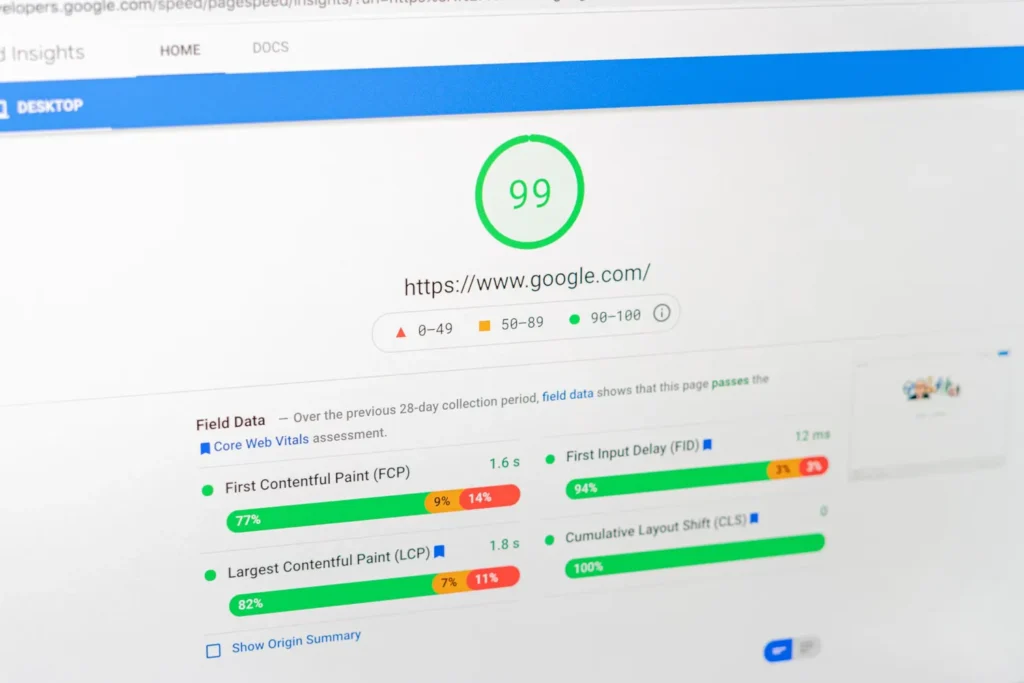
Somewhere between Google’s announcements and the SEO industry’s newsletter economy, Core Web Vitals acquired a reputation as an exam your website is perpetually failing. Site owners open PageSpeed Insights, see orange circles, and feel a vague dread that Google is punishing them for sins they can’t pronounce.
Deep breath. Core Web Vitals are three measurements of user experience, they matter a sensible amount, and the fixes are mostly known quantities. Here’s the whole topic, minus the panic.
The three metrics, in human
- LCP — Largest Contentful Paint. How long until the main thing on the page is visible. Target: under 2.5 seconds. This is “does the site feel fast?”
- INP — Interaction to Next Paint. When someone clicks or types, how quickly does the page respond? Target: under 200 milliseconds. This is “does the site feel broken when I touch it?”
- CLS — Cumulative Layout Shift. Does the page jump around while loading, making you click the wrong thing? Target: under 0.1. This is “does the site behave like it’s haunted?”
That’s it. Fast to show up, quick to respond, doesn’t jump. Every acronym in this space reduces to one of those three sentences.
How much do they actually matter?
Two answers, both true. For rankings: they’re a real but modest factor — a tiebreaker among comparable results, not a death sentence. Great content with mediocre vitals outranks thin content with perfect vitals every day of the week. Anyone selling CWV work as an SEO emergency is selling the fear, not the fix.
For revenue: they matter more than the ranking story suggests, because they measure the experience of every visitor from every source — ads, email, social, all of it. Slow pages and janky checkouts lose real percentages of real conversions regardless of what Google thinks. That’s the reason to care: the metrics are a proxy for “people don’t give up on your site.” It’s also why slow is just downtime on an installment plan.
One distinction that saves a lot of confusion
PageSpeed Insights shows two datasets. The lab score (that 0–100 number everyone screenshots) is a simulated test run under throttled conditions — useful for diagnosis, but not what Google ranks with. The field data above it is what actual Chrome users experienced over the last 28 days. A mediocre lab score with green field data means real users are fine; stop worrying. Chasing a lab score of 100 is a hobby, not a strategy.
What actually moves the needles
In rough order of bang-for-buck on WordPress sites:
- Hosting and caching. A slow server caps everything else. Decent managed hosting plus full-page caching fixes more LCP than any plugin.
- Images. Properly sized, modern formats (WebP/AVIF), lazy-loaded below the fold. The single most common heavy-LCP culprit is one enormous hero image.
- Less JavaScript. Every page builder, tracking pixel, and “free” widget bills its cost in INP. The leanest fix is subtraction — which is partly why we’ve moved toward lighter, block-based builds.
- Reserved space for media and embeds. CLS is almost always images or ads loading without declared dimensions. Boring fix, instant result.
- Font discipline. Two weights you host yourself beat six weights from three CDNs.
The WordPress-specific culprits
On WordPress sites specifically, the same few suspects show up in vitals work over and over. Page builders that render through heavy JavaScript frameworks drag INP and bloat every page (one reason our own builds have moved toward native blocks). Slider and popup plugins are CLS factories. Theme bundles that ship every Google Font and icon set known to man wreck LCP out of the box. And cheap shared hosting puts a hard floor under your numbers that no optimization plugin can dig through — you cannot cache your way out of a slow server.
The corollary: a “performance plugin” stack is usually the last step, not the first. Most red-to-green stories we’ve shipped were subtraction and infrastructure — better hosting, fewer scripts, properly sized images — with caching configured once at the end. If someone’s selling you a plugin to fix vitals on a site with forty other plugins and six-dollar hosting, they’re selling a bandage for a posture problem.
The sane operating posture
Check field data quarterly, not daily. Fix the reds, schedule the oranges, and ignore the difference between 92 and 100 forever — past “green,” further optimization returns approximately nothing. Treat performance like the rest of site health: a trendline somebody watches, not a crisis somebody flogs. (Performance check-ups are a standing item in our care plans for exactly this reason — drift gets caught while it’s still cheap.)
If your vitals are genuinely red and you’d like them not to be — without buying a single panic — send us the site. We’ll tell you which of the five fixes above applies, what it costs, and what to ignore. Usually at least one consultant has already told you to rebuild; usually they’re wrong.