What Is a Learning Management System? (And Do You Actually Need One?)

A Learning Management System (LMS) is software for building, selling, and tracking online courses and training. It handles the stuff a pile of PDFs and a Vimeo link can’t: enrollment, lessons in order, quizzes, who finished what, and certificates at the end. If you’re teaching more than a handful of people and you want to know whether any of it is sticking, that’s the job an LMS does.
A while back I was talking with a client who’d just decided she was going to “put her training online.” She had the knowledge, she had an audience, and she had a folder full of slide decks. Great start. Then she asked me the question everyone asks about three minutes in: “So… do I need one of those LMS things, or can I just throw it all on my website?”
Fair question. Let’s do the thing and actually answer it.
So what is an LMS, really?
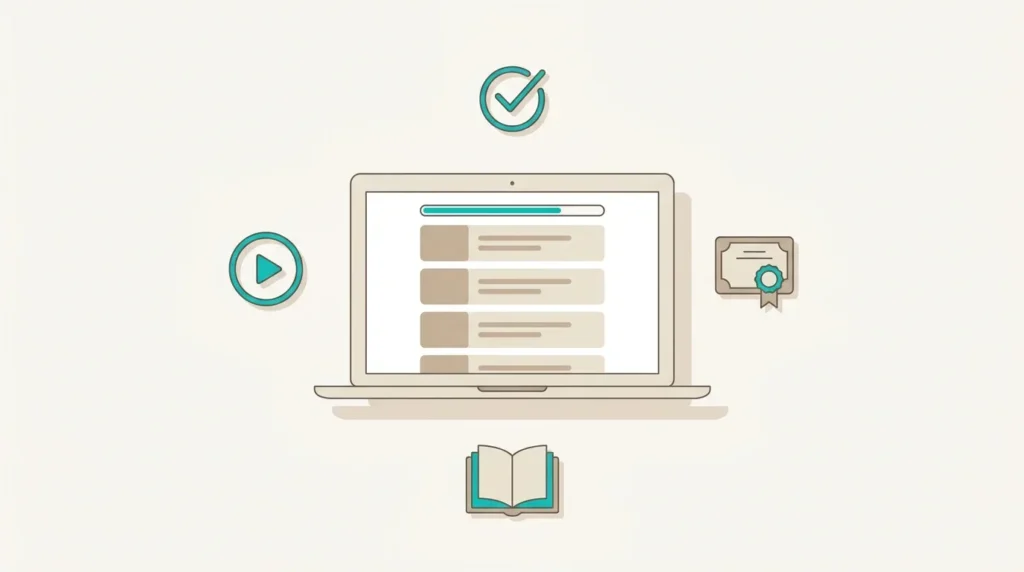
Strip away the acronym and a Learning Management System is just the software that runs a school — except the school is online and the classrooms are web pages. It does a few specific jobs that are a genuine pain to do by hand:
- Enrollment — who’s allowed into which course, and how they get in (bought it, got assigned it, joined a team plan).
- Content delivery — lessons and modules in a sensible order, sometimes dripped out over time instead of dumped all at once.
- Assessment — quizzes, assignments, the “did you actually learn this” part.
- Tracking — progress bars, completion, scores. The reporting that tells you whether your course works or whether everyone bails at lesson three.
- Certification — the certificate at the end, and for some businesses, certificates that expire and have to be renewed.
Could you fake some of that with a membership plugin and a lot of willpower? Sure. For about a month. Then you hit the edges — you can’t tell who finished, you can’t gate lesson four behind lesson three, and you definitely can’t issue a certificate that expires in two years. That’s the moment people go looking for a real LMS.
The fork in the road: hosted vs. self-hosted
Here’s the decision that actually matters, and it’s not which logo is prettiest. It’s who owns the thing.
Hosted (SaaS) platforms — Teachable, LearnWorlds, TalentLMS and friends — are the rent-an-apartment option. You sign up, you get a course site, somebody else handles the plumbing. Fast to start, less to break, and you’re living by their rules and their pricing forever.
Self-hosted — almost always LearnDash on WordPress — is the own-your-home option. It’s a plugin that turns a WordPress site into a full LMS, which means you own the platform, the data, and the ability to make it do weird, business-specific things the rented option simply won’t. More control, more responsibility. (This is the lane we live in — we’re a LearnDash development shop, so fair warning, I have a bias and I’m telling you about it.)
Neither is “better.” They’re better for different people. Which brings us to the cheat sheet.
The quick comparison
| Platform | Model | Best for | The trade-off |
|---|---|---|---|
| LearnDash | Self-hosted (WordPress plugin) | Course businesses that want to own the platform and customize deeply — bulk seats, certificate lifecycles, custom rules | You (or a developer) own the upkeep; it’s a real website, not a turnkey app |
| Teachable | Hosted (SaaS) | Solo creators who want to launch a course fast with zero tech | Less control, you’re renting; fees/limits on lower tiers |
| TalentLMS | Hosted (SaaS) | Companies running internal employee / compliance training | Priced per user; great for staff, less so for selling to the public |
| LearnWorlds | Hosted (SaaS) | Creators who want slick interactive video + built-in marketing | Pricier as you grow; still a rental |
Read that table as “where each one is happiest,” not “which one wins.” A one-person creator launching her first $99 course should probably not be standing up a WordPress LMS. A training company that needs to sell 25 seats to a corporate buyer and expire their certs in 24 months should probably not be wrestling a hosted platform into doing something it was never built for.
“Okay, but do I need one?”
Quick gut-check. You probably want an LMS if:
- You’re teaching enough people that “email everyone the PDF” has stopped being funny.
- You care whether people actually finish — and you want the data to prove it.
- You need to sell access (one-off, subscription, or team plans).
- You issue certificates, especially the kind that expire.
You probably don’t need one yet if you’ve got one short workshop and twelve students. A simple checkout and a video host might be plenty. There’s no shame in knowing you’re not there yet — building a whole LMS for a tiny audience is a classic case of buying a forklift to move a shoebox.
Where it usually gets hard
The dirty secret of every LMS — hosted or not — is that the demo is easy and the real business is in the edges. The company that wants one invoice for 25 seats. The certificate that has to renew without a phone call. The drip schedule that’s almost what the settings page allows. That last 20% is exactly where most “I’ll just set it up myself” projects stall out.
That’s the work we do — taking a platform that gets you 80% of the way and building the 20% that’s actually yours. Sometimes that’s a fresh build; just as often it’s rescuing a course site that someone duct-taped together and that’s now quietly losing enrollments.
Bottom line
An LMS is the difference between “I posted some videos” and “I run a training business I can measure.” Pick hosted if you want speed and simplicity and you’re happy renting. Pick self-hosted — LearnDash — if you want to own the thing and bend it to how you actually sell. And if you get to the part where the platform starts fighting you, that’s not a sign you picked wrong. It’s just the 20%. That part, we can help with.
Questions, answered
What is a Learning Management System in simple terms?
It’s software that runs online courses — handling enrollment, delivering lessons in order, quizzing learners, tracking who completed what, and issuing certificates. Think “the software that runs a school,” but online.
What’s the difference between LearnDash and Teachable?
LearnDash is a self-hosted WordPress plugin — you own the platform and can customize it deeply. Teachable is a hosted (SaaS) platform — faster to start but you’re renting, with less control and tier-based limits. LearnDash suits businesses that want ownership and custom rules; Teachable suits solo creators who want simplicity.
Do I need an LMS or just a membership plugin?
If you only need to lock content behind a login, a membership plugin can work. The moment you need ordered lessons, quizzes, completion tracking, or certificates, you need an LMS — that’s exactly the gap a membership plugin can’t fill.
Is LearnDash good for selling courses to companies?
Yes — it’s one of its strengths. LearnDash can be customized for bulk seat sales (one checkout enrolls a whole team) and for certificates that expire and renew on a schedule, which is why it’s popular for corporate and compliance training.
Can I add an LMS to my existing WordPress site?
Yes. LearnDash installs onto an existing WordPress site and adds full course functionality. For custom enrollment, team plans, or certificate lifecycles, a developer can extend it to match your specific business rules.